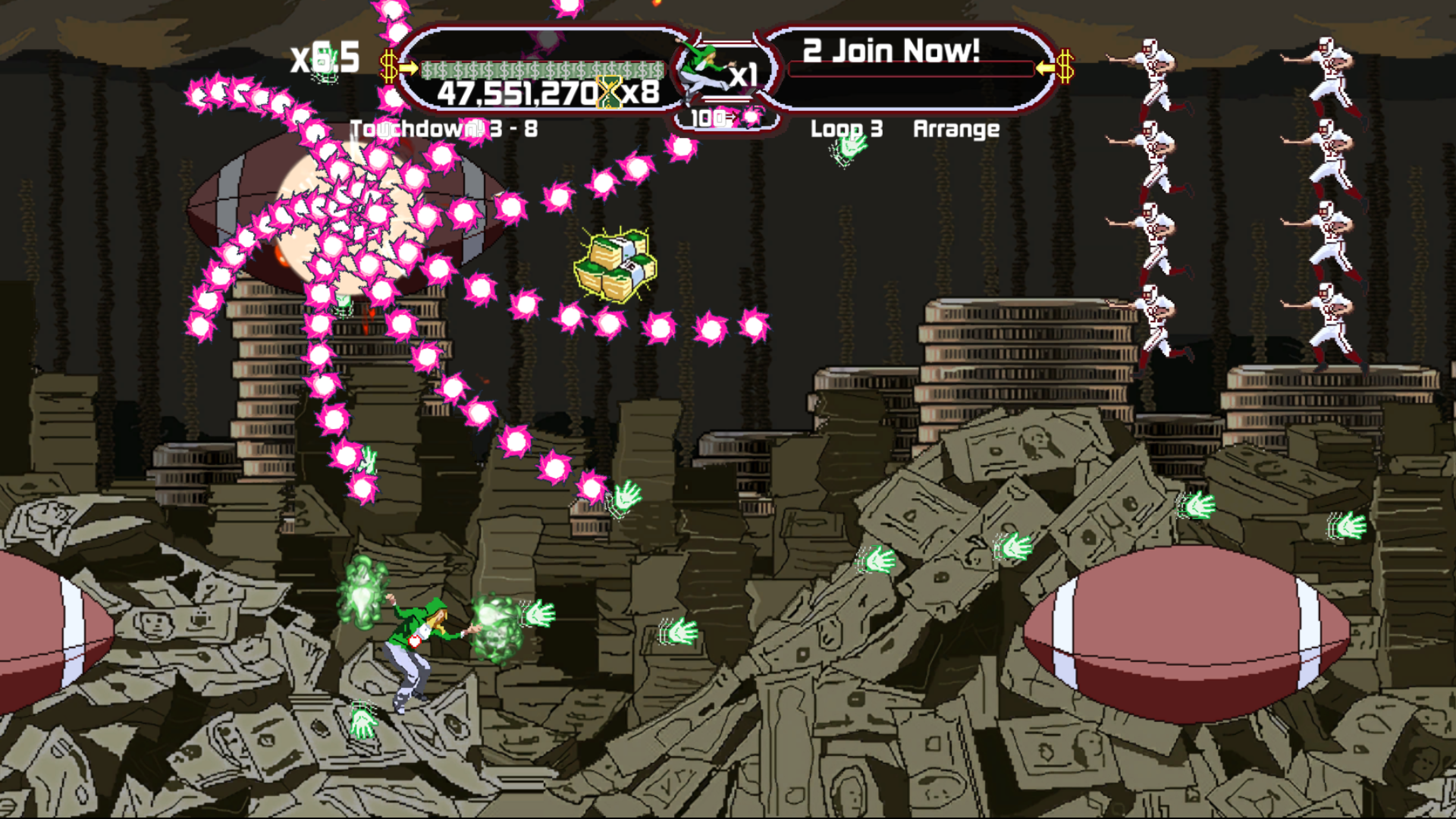
Mommy's Best Games, Inc. is an independent game developer founded in 2007. This is a view behind the scenes of our game development and marketing!

Nathan
Showing posts with label Game Type. Show all posts

Friday, February 3, 2023

Mommy's Best Year in Review: 2022

What did I do, in public game-dev view, in 2022? 

We released two entire games!

I know, I know, they might not be what you were hoping for from Mommy's Best Games, but rest assured, there was plenty of behind-the-scenes work going to prepare for big games to come. 

But come on, these are still pretty great games!

Spring Time

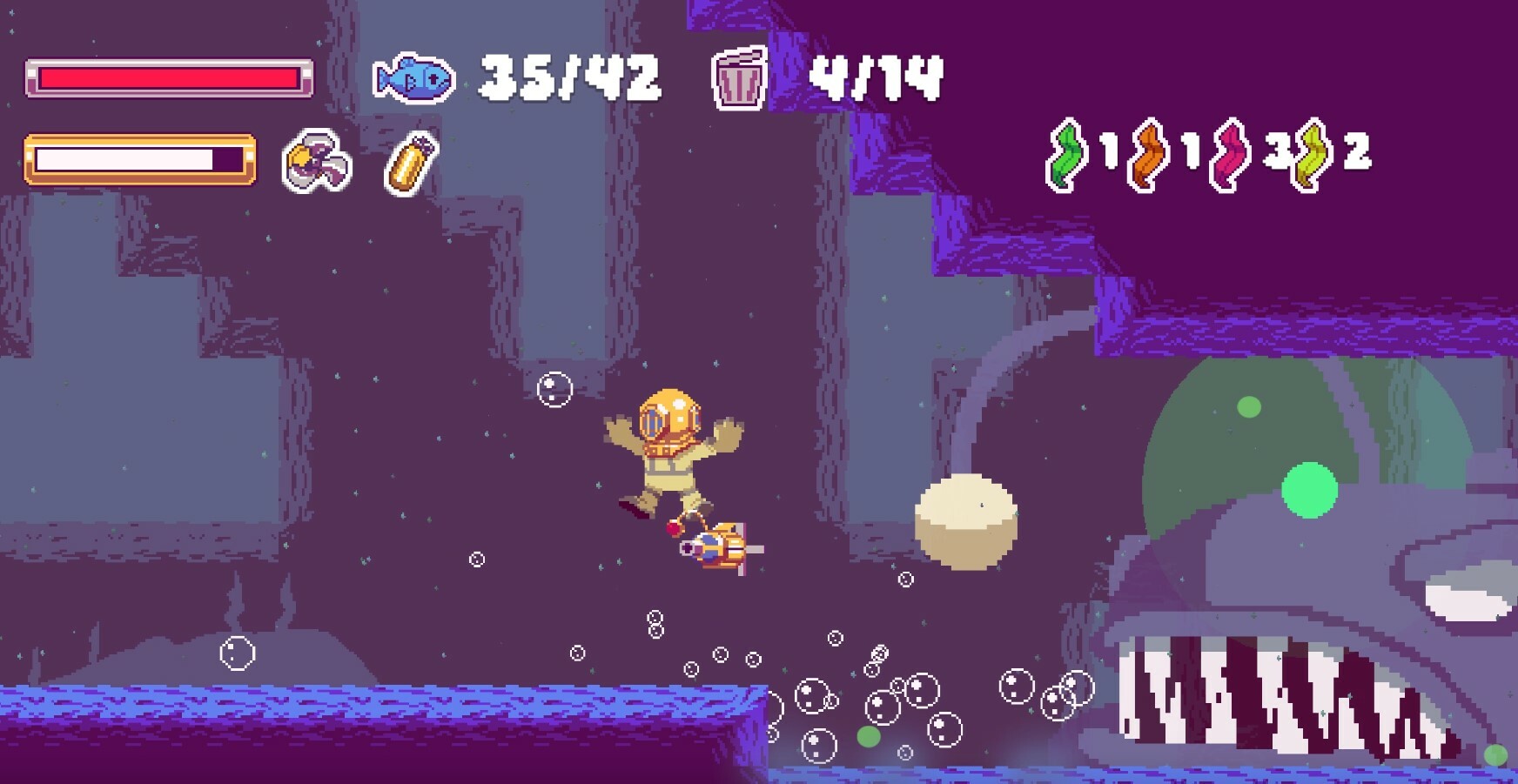
In the spring of 2022 I finished work on a contract I had with Girls Make Games. They had a very nice concept from a young team, of making an underwater exploration game. It's called What They Don't Sea, and it's about finding life in ocean, but also realizing that trash is clogging and harming all that life! I spent several months doing game and level design, and coding, and helping the team bring their game to market. It was released on Steam in November of 2022. Check it out!

https://store.steampowered.com/app/2152030/What_They_Dont_Sea/

I worked on "What They Don't Sea" by Girls Make Games


Summer/Fall/Winter

The rest of the year was working on secret projects. But I also worked here and there, touching up Game Type DX. As I detailed in previous posts, it took a long time to get it to release to consoles, mainly because the game started its life as a mockery and commentary. As such it has lots of details about the Xbox 360 in particular. Which means Nintendo and Sony really flipped their wigs, reviewing the game. It took forever to get the game approved, but I love how it turned out. 

http://mommysbestgames.com/GameTypeDX/index.html

Our own Game Type DX, out now on all consoles!

 I spent a good amount of time adding new enemies, levels, and modes to the games. If you love a quick, high-score shmup with some serious 'tude, give it a play!

And into 2023

And now in 2023, I can say I am starting to talk to publishers about our next big game! It's super scary to be reaching out to people finally, but they are liking it, so that's encouraging. With any luck we'll have something to reveal this year (I hope!)

Thanks for a great year!

Friday, November 18, 2022

And Now There's Xbox 360 in Your Playstation

 Game Type DX is out this week on Playstation 4 and 5!

This is my last remaster of my older XBLIG games for consoles and it does have some new nice features if you played it long ago. And it's gotten some good reviews, and is a solid "high-score" style shmup even if you've not played it! Please consider buying it as it's super fun, has 2-player mode, and is only $5.99. Thanks!

Here's what critics have said so far:

What's in the game?
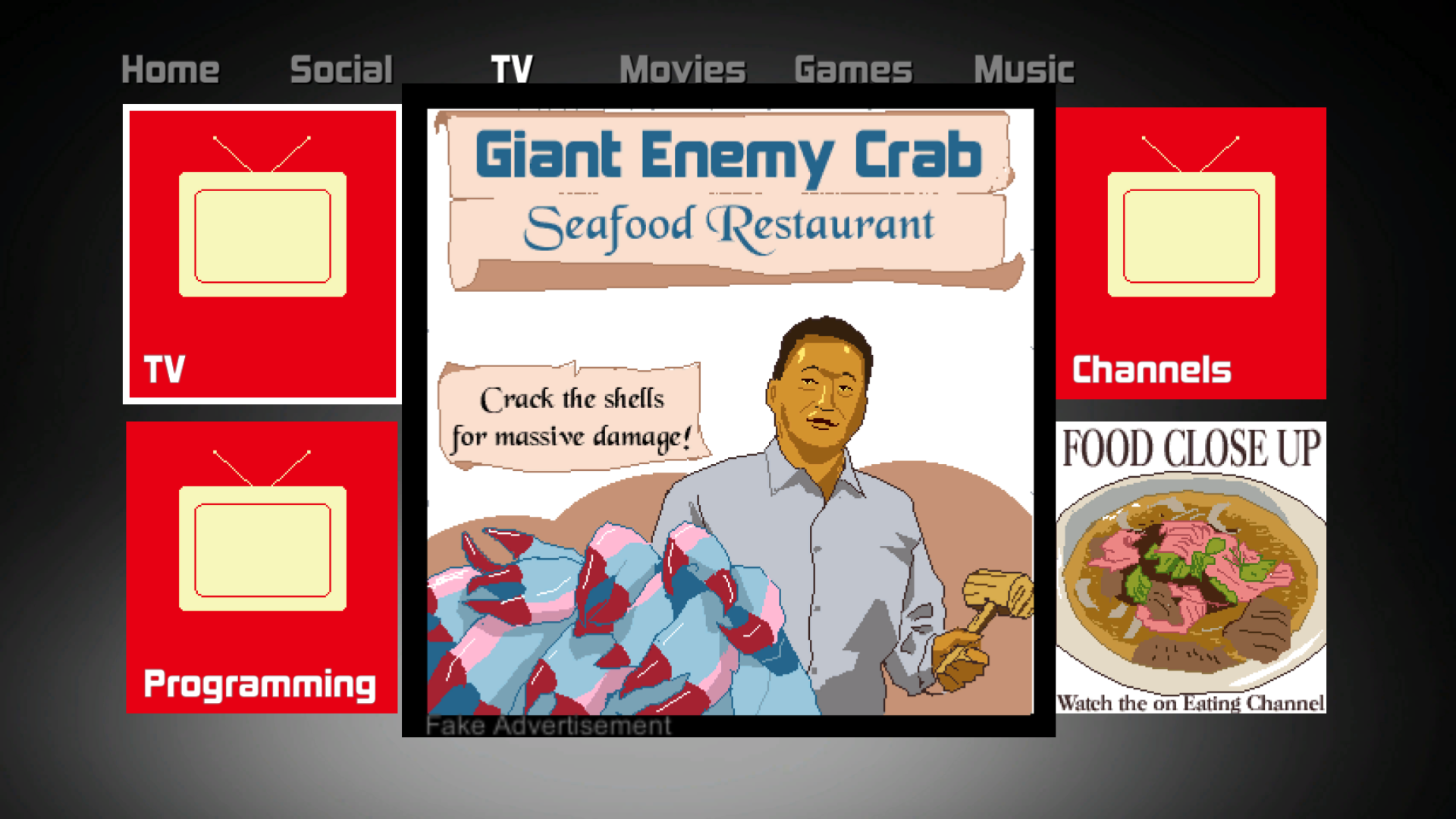
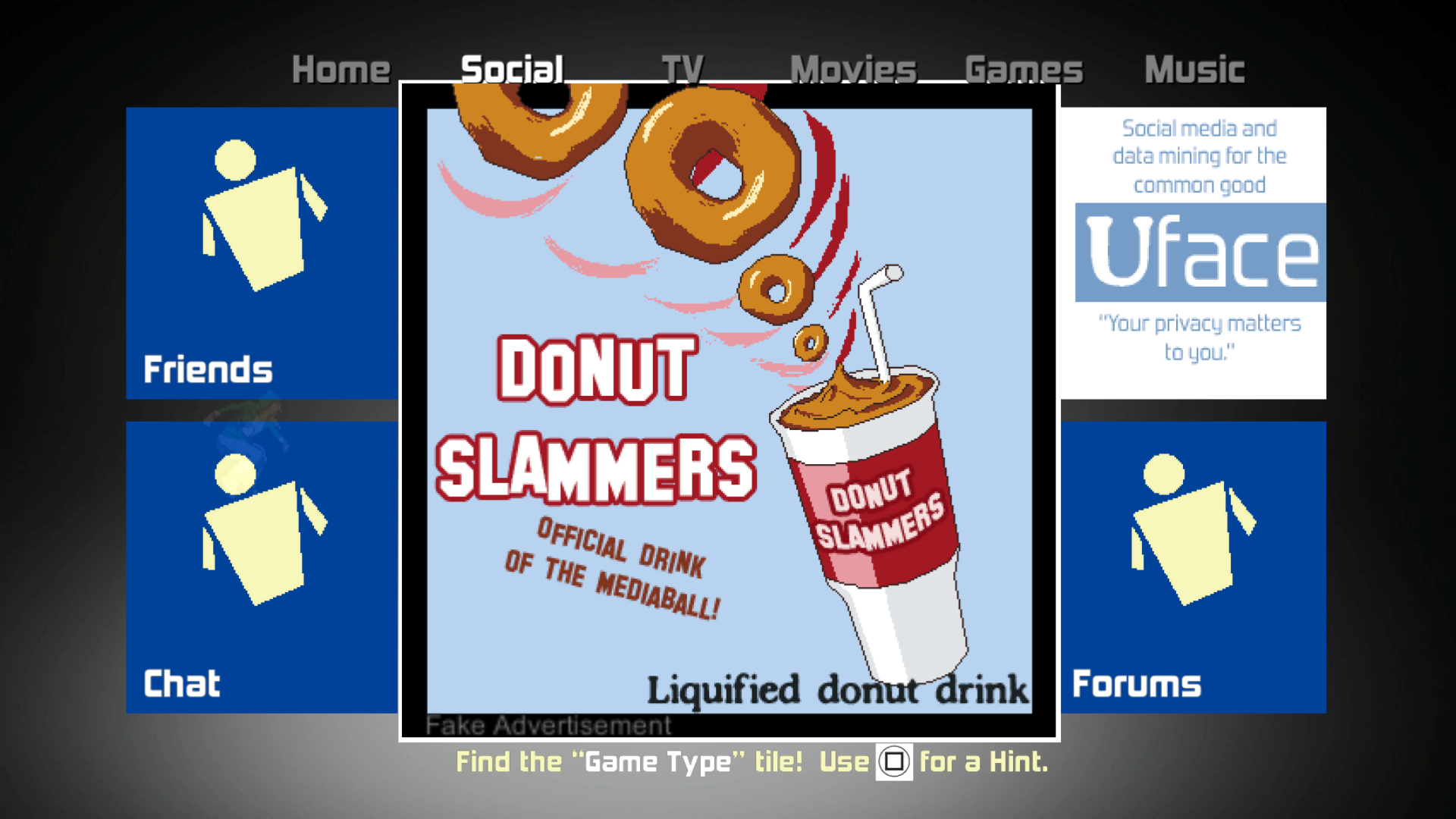
Well half the draw is a complete Xbox 360 style menu system, within the game, replete with bad gaming jokes and nonsense from 2011. Yes, it's like an interactive time capsule filled with puns and satire. 

The shmup part of the game now has 3 different game modes, and each one has an infinite or 3-minute option. There's lots of new enemies, and even power-ups and "power-downs"! Plus there's online leaderboards on each console, which is perfect for a high-score shooter like this. 

Every so often, there's even a "power-up swarm" that flies through quickly.
Some are power-downs though!

Here's where to grab it on every console and region!

Xbox: https://tinyurl.com/gametypexb1 

Switch NA: https://tinyurl.com/gametypeNA 

Switch EU: https://tinyurl.com/game-type-dx-switch

PS NA: https://store.playstation.com/en-us/concept/10004621 

PS EU: https://store.playstation.com/en-gb/concept/10004621


You can get the game in "Original Xbox 360"

Or "Nintendo Switch Red"


And now "Sony Blue"!

Happy shooting, and I hope to see you on the leaderboards! 

Monday, August 29, 2022

Game Type DX: Advanced Abilities and Strategies


Game Type DX comes out soon to the Xbox, Switch, and Playstation, therefore I am putting together some basic and more advanced strategies!

Here is the video version:


And here is the written version:


Time Pulse 

A lot of shooters have a “super bomb” attack which does enemy damage and wipes bullets from the screen. Game Type DX doesn’t have a regular super bomb, because Game Type DX is pretty weird. 

But … it's good weird.

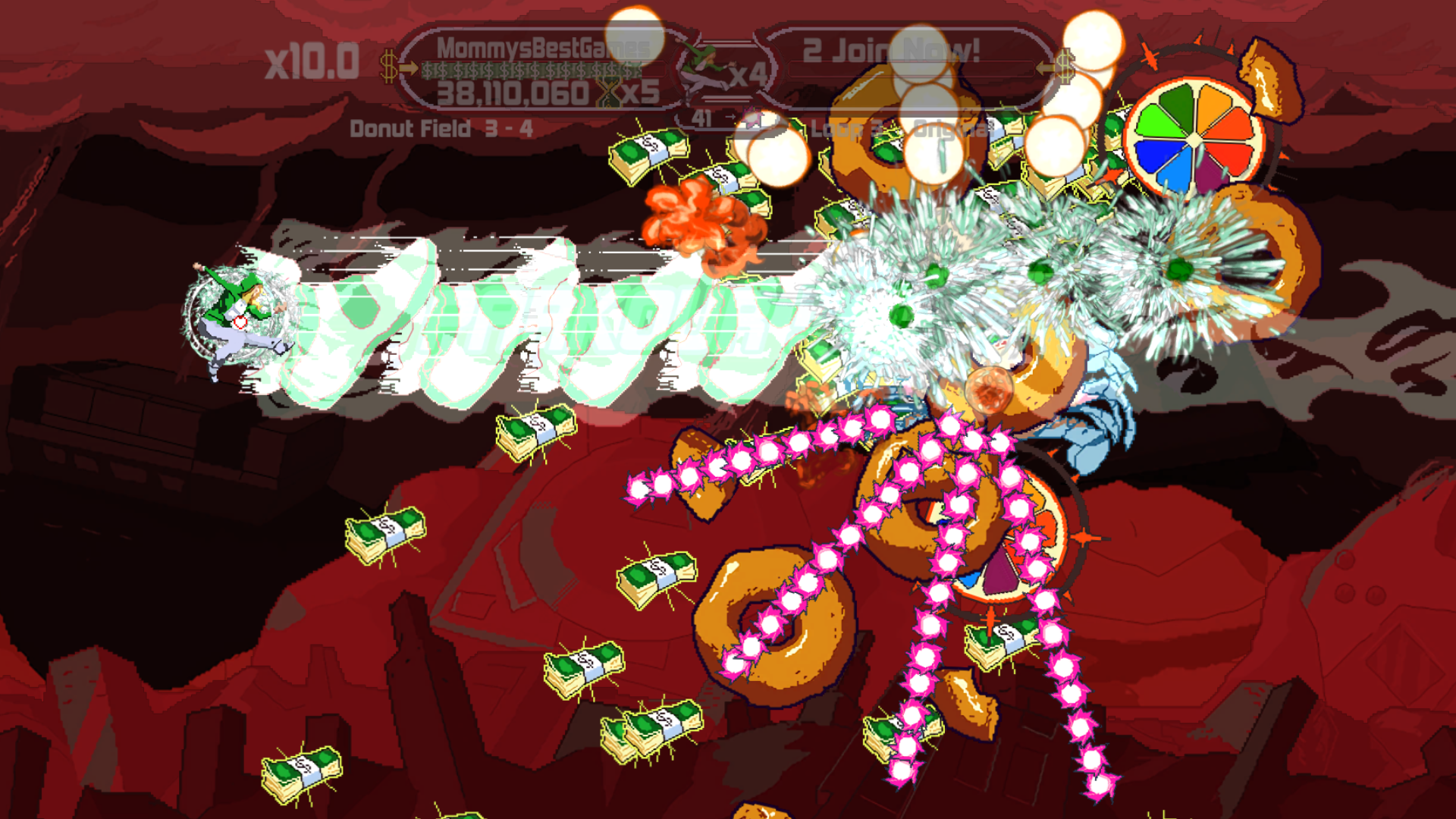
The Time Pulse is great because it slows down time as you use it. But it does not do enemy damage. It does however allow you cancel bullets, but it requires the use of the Kick Beam to do that. The Kick Beam is useful for killing enemies, since it is powerful, but it is limited because you need to power up the Kick Beam with cash drops. 

Use the Time Pulse. Now shoot enemy bullets with  your Kick Beam.

 
Enemy bullets are turned into cash drops. Suck in cash and get loads of points!

What do the cash drops do? Well, they do a lot of things. 

Cash drops

  1. give you points.
  2. increase your multiplier.
  3. reset your multiplier timer.
  4. increase your Kick Beam power.

How do we get cash drops? 

From killing enemies, but also from destroying their shots. We can destroy enemy shots with the Kick Beam while the Time Pulse is active. You simply tap the button to use a Time Pulse, then start shooting the Kick Beam. As you shoot enemy bullets they turn to cash drops AND you can contribute to getting another Time Pulse. 

Chaining Points and Powers 

The is the real power cycle in the game. In the bottom middle of the HUD is an enemy bullet icon, and a number. As you destroy enemy bullets with your Kick Beam during a Time Pulse, this number drops. When it hits 0, you get a new Time Pulse. Chaining this effect is the secret to huge points. Find a spot where there’s lots of enemy bullets, then use the Time Pulse and shoot all the enemy bullets. As you shoot, you’ll possibly get another Time Pulse to keep it going! Eventually you’ll run out of enemy bullets to milk, but this is a great strategy. 

Chaining Method:

  1. Use Time Pulse
  2. During Time Pulse, shoot Kick Beam at enemy shots. 
  3. Destroy so many shots like this, that you gain a new Time Pulse.
  4. Allow loads of cash drops to flow toward and gain you points.
  5. Use another Time Pulse and do it again!


Show Me the Bullets

But you need lots of enemy shots to do this! Where are they?

Well, there are three modes to the game. Two of the modes, have hand-designed, static level layouts. Each time you play the levels stay the same. You can memorize the levels in these two modes, and predict where to be each time and improve your score. 

You’ll want to remember where lots of enemies (like the crabs) come out and spray the screen with bullets. And you’ll want to use the Time Pulse here, then shoot all their bullets with your Kick Beam and get tons of cash drops, and points. You can then get another Time Pulse this way, or even a Time Pulse powerup that is sometimes floating around. 

The third game mode has a lot more variety of enemy setups, but is also randomized every time you play! Once you get too good at the hand-made modes, you can try out the “Surprise” mode for more variety. 

No Hoarding

Make sure you use Time Pulses pretty often. You get a new one each time you beat a Loop, and you can get them as a floating powerup. Make sure to catch those powerups! 

A new Time Pulse powerup is floating near the middle of the screen. Grab it!

That's the general idea for the Time Pulse and chaining points. Remember Game Type DX comes out everywhere soon. Here are the store pages: http://mommysbestgames.com/GameTypeDX/index.html

Thanks for playing and happy shooting!

Tuesday, August 23, 2022

Game Type DX: Basic Abilities and Strategies


Ahead of Game Type DX releasing soon on consoles, here is an overview of Hoodie Girl's basic abilities. There's plenty of detail in here, even for players of the original version. Enjoy!

Here is the Video version of the article, for sitting and listening.


And here is the readable article version!


Slap Shot

As you start the game, your basic attack is called the Slap Shot. It fires forward, and up and down. You can simply hold the button for constant shooting. A lot of the enemies come from the right side of the screen, so your forward shot does the work. But many other enemies come from up/down/behind which is when your back hand is really helpful. 


You start able to shoot forward, up and down.

Several enemies are really important to take out quickly. Mainly the cats. The dang cats keep shooting as long as they are on screen. Each Loop of the game, the cats can shoot more. Once you get pretty far into the game, they are a simple enemy, but really nasty. Use your side shots to take them out from all angles. 

Enemies coming in from the bottom are perfect targets for your down shot.

Double Tap

Another feature is to tap the shot button quickly. The benefit is, at the start of the tap, you get double-shots stacked up, not just one bullet but two. It's physically tough to take advantage of this all the time though, since you'll have to keep tapping constantly, but occasionally the extra firepower can help.

Power Up

In the original release, there were no powerups, but now in the DX version there are several types. One of the new powerups is the Gun Up. Each time you grab them, you gain a new angle of shots. This only powers up your Slap Shot. (You cannot power up your Kick Beam.)

Here the Slap Shot is near fully powered.


You’ll max out your Slap Shot after a while, which will look like this, with 4 bullets going to the left, and 3 bullets going to right. Try your best to simultaneously line up all these bullets onto actual enemies for maximize efficiency! 

Point-Blank

You don’t get extra points or power from killing things in very close proximity, but what naturally happens is all your forward shots can hit a bit enemy. (Some shmups grant your attacks more power, or you get more points if you point-blank enemies.) So in some ways “point-blanking” does work well, if you can memorize when the big enemies show up. I like to run up quickly on the green SUVs and the Orange symbols and get in some concentrated hits. 

Kick Beam 

The Kick Beam is your mega shot like from other games, but here it is powered by cold, hard cash. You get cash drops from killing enemies. The cash drops do a lot of things, including giving you points, but they also power up your Kick Beam. 


Your Kick Beam slows your movement, but gives you a strong forward shot. Plus you get to yell “Parkour”, so that’s just plain fun! 

(Bullet) Slow Down

The Kick Beam is strong, and focused, but another benefit is it slows down enemy bullets in its path. This is great for giving you some space from oncoming attacks. Watch out though because the enemy bullets speed back up after they leave the Kick Beam's area of influence! 

Look closely in the middle,
the pink bullets all bunched up are a result
of the Kick Beam hitting them.

Cash Infusion

Because the Kick Beam is powered by cash drops you’ll often need to stop shooting for just a moment, then keep shooting again. When you stop, all active cash drops start homing towards you. You can chain this nicely by holding shoot, letting off for a split second, then holding shoot again, killing more enemies and powering up your beam with the cash drops that fly at you. 


If you stop shooting,
all the active cash swarms toward you and gives you points.

The final, amazing use of the Kick Beam is to turn enemy bullets themselves into cash drops! But we’ll get into that strategy in another post. 

Until then... PARKOUR!!!

Monday, August 8, 2022

You Got Xbox 360 in my Nintendo

Newest Pre-order Spot

Great news! Before the funny story about porting the game to the Switch, I'm happy to say Game Type DX on pre-order right now for the Switch!


 Here's the link to the North American store.

And the linke to the European store.

(And is also on pre-order for Xbox One.)


Making a Game For The Wrong Consoles

Game Type was inspired and heavily references the Xbox 360.
When creating the upcoming DX version for it, things got pretty difficult considering we're releasing it for the Nintendo Switch and the Playstation 4 and 5. 


Now the worst possible thing to happen would have been for Nintendo and Sony to simply not allow the game in its present form, or to request a complete overhaul before we could release it. That would have stopped all work for the game. I was happy to create some new content for the DX release, and incorporate each platforms achievement and leaderboard systems. But to redo everything would have not been possible. The great news is, Nintendo and Sony are letting us release it!

However, both Nintendo and Sony sure didn't let our game in easily, or seemingly even understand what the game is about. I guess a "documentary style game about a competing game console" IS a pretty unusual concept!

RGB

Not surprisingly each platform, including the Xbox One, has rules about advertising a competitor's platforms. Plus, you have to adhere to each consoles naming conventions. Our game gets pretty "meta" though, because we have a made-up console in which you are playing the game. That console is called the "MediaBall" and its interface is a direct reference to the Xbox 360. To that end, I would have liked to have use terms such as "Dashboard", and "Game Marketplace" to complete the connection to the Xbox 360. 

"Switch Red" variant dashboard color

 But unfortunately for the Switch and Playstation, those terms and several things were required to be changed or removed. Even the number "360" in one of our fake ads got nixed! We also couldn't use the green color from the Xbox 360 Dashboard. In some ways we did end up with some pretty cool changes. Now each platform has it's own version! The Nintendo Switch version has "Switch Red" for the menu. And the Playstation has their blue for the menu tiles. 

I guess what puzzles me is that the Xbox 360 is completely off the market and not a true direct competitor any more, so it surprised me how much they pushed back on every little thing references it. Maybe it's more a long-standing brand concept than one console. I don't know!

You're on the Naughty List

Here is an incomplete list of things we had to change when adapting to Sony and Nintendo (I can't get too specific with the details as they are very touchy about mentioning their internal rules to the public).

  • Can't use term "Dashboard" as this is the Xbox 360's term. I chose "Control Panel".
  • Can't use term "Xbox 360". So I chose "Certain Game Rival's console" and made sure to print it in green. :D
  • Can't use term "Game Marketplace", so we picked "Game Store". 
  • Can't use green menu blocks. Green! Okay, they didn't say can't use green exactly, they just said the menu system looked too close to the Xbox 360. So change it some way.
    That's where the red and blue colors came in.
  • Can't show a cartoony controller that is even vaguely like the Xbox 360. So I dropped the other stick.
  •  
  • Microsoft on the left, Sony on the Right

     
  • Can't say "Control Stick". Um... what? I think that was more of a "must use our term" thing but it made me laugh. 
  • Can't say "360" or "Rumble" action. So I went with "720" on the fake ad name and "Deep Tissue action" in the text description.


    When you click on the fake controller massage ad, you get these texts.

All in all, it really wasn't that bad to make the changes. I think it was just funny how it didn't seem like they noticed what the game was doing or what it was about. But I'm thankful we get to release it on all consoles! 

Release in September

Game Type DX is coming out September 8th!
It's ready for pre-order on Switch and on Xbox One.
(PS4 is tough to get a pre-order for it, but that's a whole other story!)

Monday, April 25, 2022

Announcing Game Type DX

Parkour!
I'm thrilled to announce the remastered and enhanced version of our face-paced, high-score shooter Game Type coming soon to PS4/Switch/Xbox One, later this year.

You may be saying "wow, Game Type is a terrible name", and I agree! We actually named the game that, because it was the same name Microsoft used to access ALL GAMES FOR SALE on the Xbox 360, way back in December 2011. 

Can you imagine making a video game console, and leaving the majority of games to be stuck behind the simple name "Game Type"?
And the picture of the tile was a woman, doing a high-kick, in a green hoodie. That's super weird! 

360 History

Yes, that's a real screen capture from the Xbox 360 dashboard! There were a few categories like "New Releases", but if you wanted to find XBLIG or even XBLA games, you had to click there first! 

To help combat this, and get some attention to the problem, we quickly make a very fun little shooter and called it "Game Type". 

And now all these years later, to complete our DX pack of Shoot 1UP DX, Explosionade DX, and Weapon of Choice DX, we've added lots of new content to create Game Type DX!

Have a look at the announcement trailer which tells the history, but also shows a bit of the new content.


Microsoft Changes

Game Type, the game, received wide gaming press coverage, bringing large amounts of media attention to the problem.

Microsoft shortly revised the menu system, removing the poorly named menu tile, making it easier to find XBLIG and XBLA games again.


From internal sources, MBG has been told that their Game Type protest game really did help push Microsoft to change their console for the betterment of Indie Games.


Deluxe Treatment

With new enemies, new game modes, leaderboards, and achievements, Game Type DX is the complete package, and a fascinating time capsule of gaming history.


Key Features for Game Type DX in 4K

  • Loop-tastic speed insanity! Every time you beat a level, the game speed increases!

  • Time Pulse gameplay -- Slow down time and turn enemy bullets into score drops!

  • 2-Player local co-op for extra firepower, and extra Parkour!

  • 3 Game modes: "Standard", "Parkour Remix", and "Surprise!"

  • Surprise Game mode features new level layouts every time you play.

  • Online Leaderboard! Show up often. Show Off your play skills!

  • The new DX version of the game has lots of powerups and even POWER DOWNS!

  • DX version also features loads of corny video game jokes to discover in the fake dashboard section.

  • PARKOUR!!!

Alright friends, we'll be announcing a release date soon, and a pre-order option. Stay tuned!

Wednesday, February 3, 2016

Development Year in Review 2015

We can't find out what's wrong or what went well if we don't take time to see what we've done!
With that, let's look at what Mommy's Best Games did in 2015!

We released a new game this year, Finger Derpy. We also re-released 4 of our classic games, as enhanced ports to Steam, and called it the "Mommy's Best Action Pack".

January

Pig Eat Ball is the main project, but after talking to Nintendo and Sony and wanting to have the game on those platforms, it's clear we can't do it as it stands. The game is written in Java and simply won't run on consoles. I talk to John Meister from nearby game group Super Soul and we start working together. His team starts to port the game to Unity. This will allow us to more easily choose what Pig Eat Ball is available on.

In the meantime I start heavily working on Finger Derpy. Matthew and Andrew continue work on Pig Eat Ball core content. This means Matthew is writing code for new gameplay objects, and Andrew is designing and building new levels.

February

I focus on Finger Derpy and getting deals with local businesses to support the game. Here in the presskit, you can read more about our integration with Louisville landmarks.

March

More of the same, development wise.
Plus we show our games at the Louisville Arcade Expo!

April

Finger Derpy launched April 9th
Released Finger Derpy! First to iOS on the 9th, then to Google Play on the 19th. We held our big "Chomp the BIT" launch party that Friday. We organized the event in which 25 local developers showed off their games at an arcade bar in town.
Apple featured the game in the App Store as a 'Best New Game' which was a big deal and really helped downloads.
Also youtuber 'Cuqquake' featured the game, got plenty of views, and we've gotten a decent number of user reviews saying they saw the game on her channel.


May

During April and May we showed Finger Derpy at 10 local shows (in 5 weeks). It was exhausting. Between all of them, the Pegasus Preview Parade and the Thunderblast were beneficial in terms of download numbers. I think this was a matter of 'correct engagement' with large crowds that actually were interested in games.
Some of the events we showed the game at just had lots of drunken people. There was high traffic, but low interest/engagement/memory retention. Just because there's lots of people at an event doesn't mean you should show your game there.

June

Started porting the Mommy's Best Action Pack to Steam. This involved changing the games Weapon of Choice, Shoot 1UP, Explosionade, and Game Type, and making them great Steam ports. These games were all originally released between 2008 and 2011. They were made in XNA.
This involved adding lots of extra, though small features, which takes time. Some of the games did get new content as well, such as the collectible MBG pies in Weapon of Choice.
Scott Slucher from the U of L area started as a coop student working on the port.

July

MBG Action Pack porting by Scott and myself.
I also help Andrew and Matthew continue on PEB. We try to limit too much extra additions because John has to constantly port things from the old Java to the new, half-working Unity build.

August

Much of the same as July.


September

Shipped the Mommy's Best Action Pack on September 23rd!

For Pig Eat Ball, we're continuing to wait on the Unity build to be finished and usable on our side. Until we can write new code in the actual Unity build and until I can give Andrew the level editor that way, we have to continue with the Java build, which is tough having two versions being developed.
 

November

Finger Derpy Thanksgiving update!
Got featured again by Cupquake, definitely helped our player numbers.
Working on Pig Eat Ball gameplay in Java, as the Unity build continues.
Steam Autumn sale for MBG Action Pack.

December

Finger Derpy Winter update!
Unfortunately no big youtubers covered it, but the numbers were up through Christmas.
Working on Pig Eat Ball gameplay as the Unity build continues.
Steam Holiday sale for MBG Action Pack.

Finances

This was our most prolific game year, if you look at straight 'games shipped'--we ported 4 games and released 1 new game. So 5 games were released in this year. But this was our worst year financially.
Serious Sam Double D XXL continues to sell well and supports us, but it's sales are slowly declining.
In years past we were releasing one big game every two years. 2011 was Serious Sam DD to Steam, and 2013 was Serious Sam DD XXL to XBLA and then back to Steam (with lots more content).
2015 should have been Pig Eat Ball, in theory, but it's simply not finished. So instead, we released a free-to-play game, with ad-supported revenue and In-App Purchases, but while it made some money, it has still not covered it's development costs. Then we also released 4 ports of our older games, but they did not sell as well as hoped.

2016

The good news for January is Super Soul finished the Unity port and the game works great! We're working on the game now in Unity and things are moving swiftly.
This is the year for Pig Eat Ball.
Let's make it great, and get it out the door!

Friday, October 30, 2015

Action Pack New Features

We recently released our classic action games to Steam in the Mommy's Best Action Pack. The games are available individually or in this handy bundle: http://store.steampowered.com/sub/76770/
 But these aren't just straight ports--they're new, improved, and super high quality PC entertainment!
Assuming you already know about the original releases, I'll detail what's new in the Steam versions.

Weapon of Choice

Store link:  http://store.steampowered.com/app/373600

All New Achievements

This game never had Achievements, as such, everything in it is new! Of course, there are some easy ones (such as saving an operative) and some very tough ones. A few of the most difficult Achievements involve getting really skilled at using Xerxes and his Jet Engine gun. Those are 'Snappy Start' which is a speed run of the first level, and 'Airtime' which requires you to float through level 1 to the boss, without touching the ground!

Airtime will take some serious practice!

The most involved Achievement, which really changes the game, is 'Tasty'. This requires you to find 13 hidden MBG pies scattered throughout all the levels. Don't worry, it's not impossible, as there is a list that is shown on the title screen, once you find your first pie, to help you know where to look. "Out of reach places" are a good place to start!
The pie list
This one's a gimmie! Go get it!
Here's a list of more features added to the Steam version of Weapon of Choice:
  • Increased player run speed
  • Increased resolution in new, widescreen view
  • Keyboard controls (in addition to the original Xbox controller option)
  • Fully remappable buttons and inputs  
  • Steam features: Achievements, Trading Cards, and Steam Cloud for saves
Speaking of which, the Trading Cards and backgrounds are awesome! Enjoy!

Moses Longhorn, taking care of business


Explosionade

Store link:  http://store.steampowered.com/app/373620

New Enemies and Level Layouts

The main issue I had with Explosionade was it was a little easy and didn't have enough unique monsters. I made sure to address that in this new version! There are now nearly double the basic enemy types from the original release! The levels, especially in Serious mode, have all been re-tuned to feature some of the new creatures and bump up the difficulty a bit. The nastiest ones are Horronym Bruisers with the laser cannon. They are relentless and require some real strategy to knock them out of their foxholes.
That laser Bruiser will take you down a notch!
The new Jellies tend to take over you if you don't keep their numbers in check.

Practice Mode

There is now a rich Practice menu system, that let's you select any level, in any difficulty you've already reached, so that you can practice your strategy for the highest score. Whether you want to go for all kills, or go for fastest time, this is the way to climb the leaderboards.

More features added now to the Steam version of Explosionade:
  • Improved grenades for better control (you can hold them longer, letting them bounce even further if you want.) 
  • Color adjustment to player 2 for better visibility;  laser sight on the mech to improve aiming
  • Keyboard controls (in addition to the original Xbox controller option)
  • Fully remappable buttons and inputs  
  • Steam features: Leaderboards per difficulty, Achievements, Trading Cards, and Steam Cloud for saves


Shoot 1UP 

Store link:  http://store.steampowered.com/app/373610

New Accessibility Modes

Since it's launch Shoot 1UP has been considered by the accessibility world (from One Switch to Able Gamers) as a great shmup with wonderful accessibility features for disabled gamers. We've continued to extend the reach, with new "Goof Off Mode". This changes the game, so it spawns 1UPs at a more frequent rate, making it easier to get to 30 or even 60 ships.
This new mode is perfect for young kids, playing when you're tired, or playing with a casual (non-gamer) friend. The Leaderboards won't register your score, since you're sort of cheating, but it's a lot of fun, and a good way to practice later levels.

There is also the new "Turn-Based Mode", which pauses the game when no input is given. This allows novice or disabled gamers a break, to take it all in first, then make their move (which resumes the action). If you're moving or shooting, the game plays as normal, but as soon as you let off of either, the game pauses for you to start again.


New selection options
With Goof Off mode, it's easy and fun to get to max ships fast.


Additional Shoot 1UP features for the Steam version
  • Improved 'score drop' art
  • Warning prompts for enemies coming from the sides or bottom.
  • Option to *add* more clothing to the robo-girls in Hao.
  • Keyboard controls (in addition to the original Xbox controller option)
  • Fully remappable buttons and inputs  
  • Steam features: Leaderboards per difficulty, Achievements, Trading Cards, and Steam Cloud for saves

Game Type

Store link:  http://store.steampowered.com/app/373630

New Boss

There is now an actual boss to fight in Game Type, and it is of course, the cat from Cat Chat. He hides behind a desk, throwing out different paw, and hairball attacks, along with calling for his tiny, cat minions. The Cat Chat boss shows up at the end of every 3rd loop.
Cat fight!

All New Achievements

Like Weapon of Choice, Game Type never had Achievements for it's Xbox 360 release. Now it has plenty of extra challenges! There's several points-based goals of course, but there's also some fun to be had snooping around the faux Xbox 360 dashboard.
The New Achievements Menu

Rebalanced

The entire game is much more interesting, and playable for the long term as I worked with playtesters from the hardcore shmup community. They really pushed on it, looking for spots where the game was too unpredictable to feel like you could improve at it, or areas that were slow, or boring, or needed clarity. We've improved many of the sprites for the bullets and enemies to make sure everything is easily visible, because when the game starts to *really* speed up around loop 6, you need all the clarity and focus you can muster.


More improvements for Game Type on Steam:
  • Keyboard controls (in addition to the original Xbox controller option)
  • Fully remappable buttons and inputs  
  • Steam features: Leaderboards for All Time and WEEKLY(!), Achievements, Trading Cards, and Steam Cloud for saves

Mommy's Best Action Pack

And that was just the enhanced features!
Make sure to check out the Steam pages for all the original features in each game. Happy shooting!

Tuesday, September 29, 2015

Case Study: One Game's Amazing Click-Rate on Steam

(Vagueness: The take-away points of this will be intact, but if I act vague about exact numbers or certain practices, it's because I don't want to violate the non-disclosure agreement we (and other developers) have with Valve regarding their store.)

TL:DR

That little, tiny strip of your game logo on Steam is really, really useful. Take a second look at it, and try to improve it to grab more eyes. Also, consider tweaking your Tags.
Unless you've released on Steam before, you probably don't know how extremely powerful that slot is.

We had 4 games released in one day, and we compare and contrast why one game got a lot more clicks than others.

The Steam Front Page

This article is about examining a tiny sliver of art which very much influences how much traffic ends up on your game's Steam page. As we can see by visiting the main page on Steam, there are several categories where games are shown.
Front page on Steam, September 29th, 2015

We can see the large, top part--currently it shows 80 Days--which cycles through many games and the lower, smaller section that reads "New On Steam" just above.

The valuable, New On Steam section.

This "New On Steam" part is where we'll focus on our time and thoughts, but let's first look at a few points.

Front Page Flow

Now, without running afoul of any agreements we have with Steam, we can still determine and talk about some interesting points. Anyone that spends some time analyzing the front page for a few days can see a pattern. If you keep track of games that show up on the Upcoming tab near the bottom, and then compare them to games in the New On Steam section above, you can see that it seems that games that went through the Upcoming section get some time in the New On Steam section.

The Upcoming Games reasonably seem to show up in the New On Steam section.
So we have the idea that, 'Upcoming Games' move to 'New On Steam'.

Lots of Eyes

Without saying how many potential times gamers could be shown your game banner, let me just assure you it's a substantial amount, that any developer would be happy to have.
It's a very nice setup, since independent of your marketing budget the New On Steam section affords (apparently?) every game an opportunity for a lot of people to see it.
So, let's accept the assumption that the New On Steam section is very valuable and powerful.

High Traffic Analytics

Once you have your game on Steam, you get access to some nice traffic analytics, breaking down how many people saw your game banner in the New On Steam section but also how many clicked on it. You get to see total views and total clicks.

I'm personally in an uncommon situation, in that we recently ported 4 of our popular XBLIG games to Steam, and released them all on the same day. From that, I now have 4 data points from the same time period. While anyone could simply watch the Steam front page for a while and track how long games show up in the New On Steam section, I'll tell you, for us all 4 games stayed on there about 10 hours each.

Mommy's Best Action Pack promo
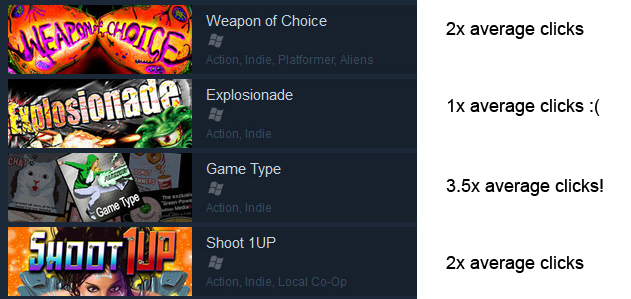
Steam also shares with you the *average click-through rate of other games*.
One of our games matched this average.
Two of our games were nearly twice the average.
And our final game had over *three and half* times the average number of clicks.

The Click-Through Puzzle

All of our games in the "Mommy's Best Action Pack" were critically praised over the years. The popularity of the games goes in this order: Shoot 1UP, Weapon of Choice, Explosionade, and then Game Type. Game Type is a fun but very strange game, plus it's an extremely niche 'caravan' style shoot 'em up. It never sold well, but it was respected.

Of course one has to factor in 'brand awareness' when considering why someone would click on your game banner, after they see it. Maybe they've heard of it before and are interested! (That's of course exactly how brand awareness is supposed to work!)
Instead, in this case, the click-through breakdown went like this: Game Type had 3.5x the average number of click-throughs. Shoot 1UP and Weapon of Choice both were over the average at about 1.8x times. And Explosionade simply had an average number of click-throughs.

What does this mean? For me it shows what I'd expect, that Shoot 1UP and Weapon of Choice had some brand recognition, and brought some people through to their game pages. This is good.

But the puzzle for you to consider is: What happened to Explosionade (average click-through) and Game Type (amazing click through)?

Compare and Contrast Clicks

Obviously we all work hard to create the game logo and the title treatment. But the wide, small game banner used in the New On Steam section is tough. It's horizontal and it's small. You don't have a lot of space to show off your game... or do you?
I took this as an opportunity to consider the art used for each of my 4 games and you should look at yours as well.

Here's what the banners for each game looked like at launch, during the traffic period in question.
Original versions
Here are my notes from looking at the art.
The Explosionade title takes up more room than any other game art here. Game Type text takes up the least space. Weapon of Choice and Shoot 1UP are very colorful by comparison, and bright. Game Type has an identifiable human girl, kicking, which is strange. You can kind of make out a cat in Game Type. For Explosionade, I can make out two bullets sort of, but I can't tell what's happening on the lower left, it's mostly a wasted opportunity. The monster on the bottom right of Explosionade shows his eye, but loses a lot of context, which could mean for some people that the coolness of seeing the glowering monster is lost. The Weapon of Choice 'font' is weird and non-standard and has strange organic shapes all over it. Shoot 1UP has a girl who is peaking over the edge, this is titillating.

Here is the new version of the game art.
New versions (only Game Type and Explosionade were changed)
The main changes to Explosionade are to give things more context, and reduce the text size. Keep in mind players will see your game name, just to the right, in plain text. They will know the game's name, so can reduce your title art somewhat if you have more interesting things to show. I've increased the space the mech on the lower left takes up, and increased the space the monster on the right takes up to indicate the cool fighting in the game. Game Type was made brighter and the other two games were not changed.

Let Tags Do Their Thing

The other thing to consider is that I labelled all my games "Action", and "Indie". There is a *broad* selection of  games on Steam that fall into those categories. I wasted my chance by not labeling Shoot 1UP and Game Type as "shoot 'em up" (much fewer games) and I wasted my chance to label Explosionade as "Mech" (very few games).
Players could have quickly seen those words just to the right and had another reason to click!

What's the Point Now? The Moment Is Not Gone!

Why improve the art, after the games are out of the New On Steam part? Because that same art is used all over Steam, in the 'More Like This' section and the 'Recently Updated'. You get more chances to catch player's eyes!
Redemption! If your game had a poor performing click-through rate on launch, you can do better it!

If you have not released your game consider:
As I said, if I could do it over, I should have added more useful tags to my games (the "User-Defined tags", not the search words, which are also important). Adding custom tags that make sense to your game, but some that are also specific.

In any case, take another look at your game banner, especially the small one, and make sure you're making most of it. There are a lot of eyes on that tiny piece of art and you can get more clicks with it!

----

(And since we're sort of talking about designing box art (but smaller, and wider) I found this to be an inspiring article on how others made some very nice art: http://www.polygon.com/features/2015/8/27/9207581/video-game-box-art)

(And finally, please chime in as to why you think Game Type scored so well and Explosionade only scored 'average'. I'd love to hear different points of view, thank you!)